Predicto
Delete Your Account
Last updated: May 12, 2026
Request via Email
You can request an account deletion by sending an email to delete@predictogame.com with delete account as the subject and the email address of the account to be deleted in the body of the email.
Delete from the App
You can also delete your account directly from the app by following these steps:
- Open Predicto Football app.
- Go to your Profile page.
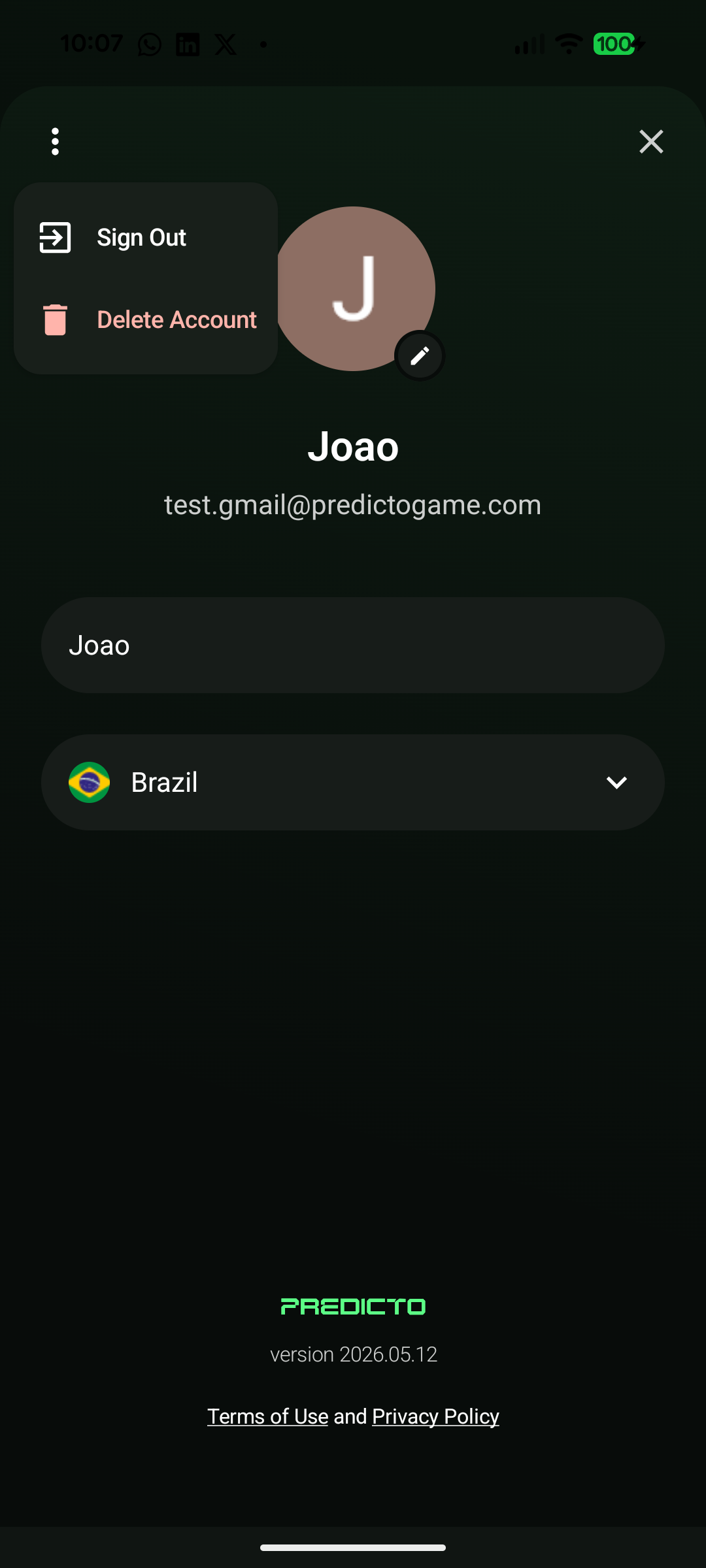
- Tap the more menu (⋯) in the top corner.
Android
iOS
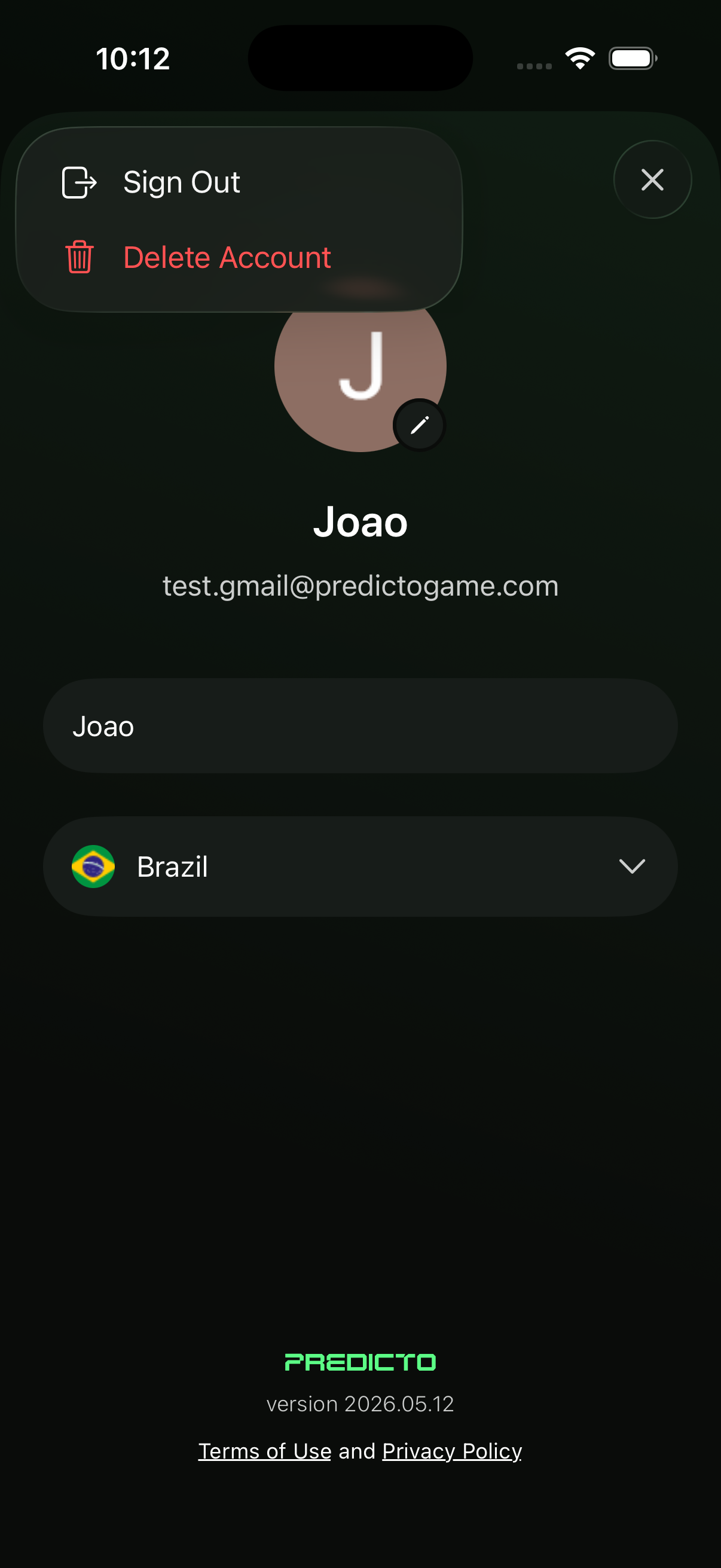
- Tap Delete account.
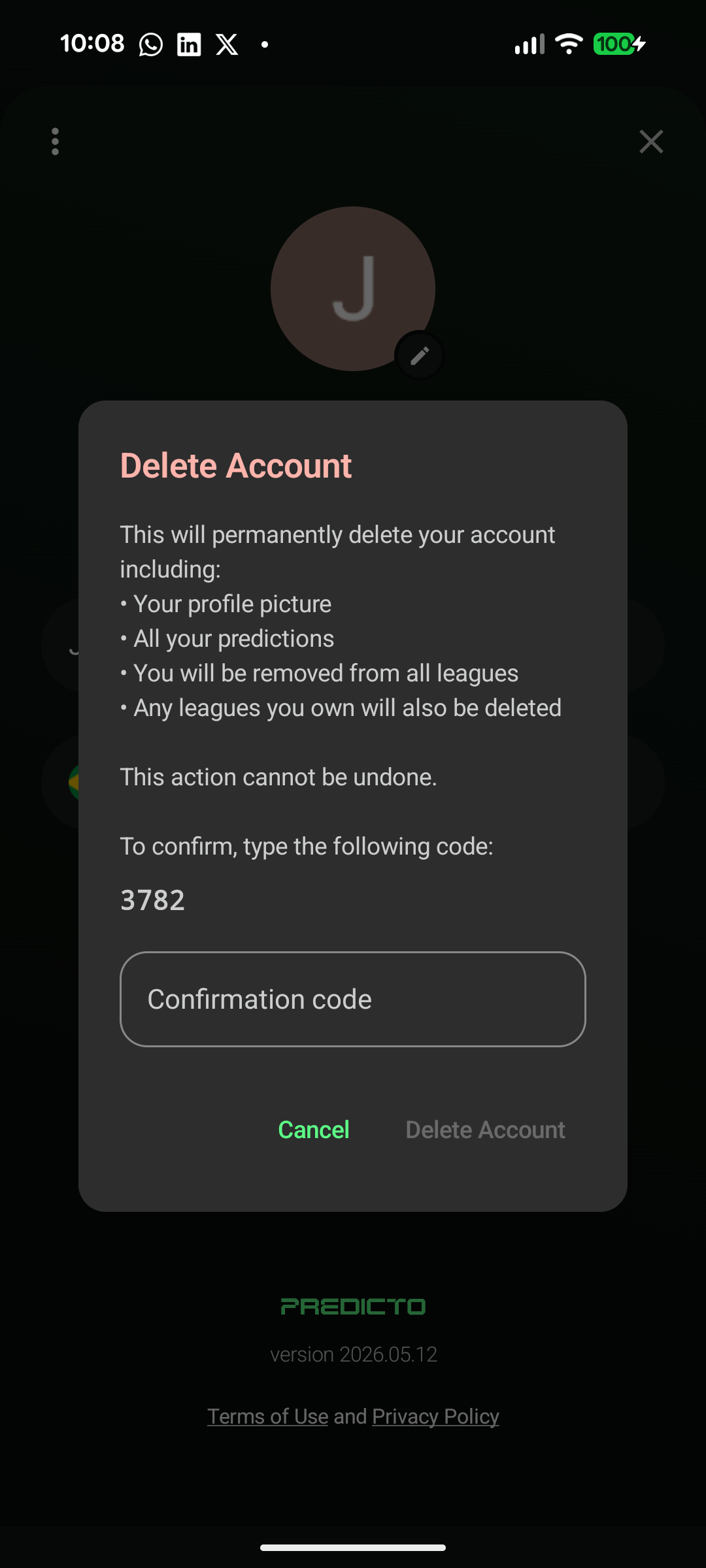
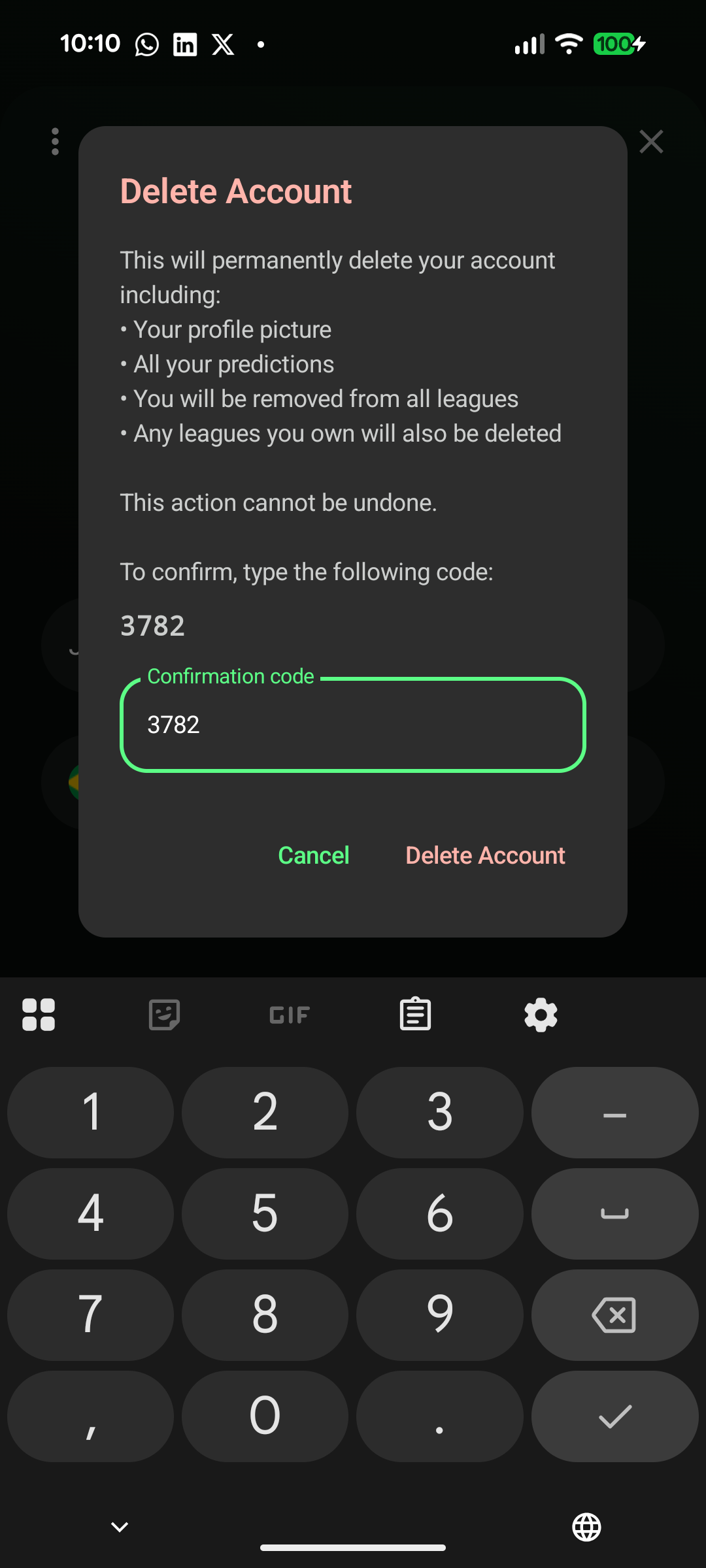
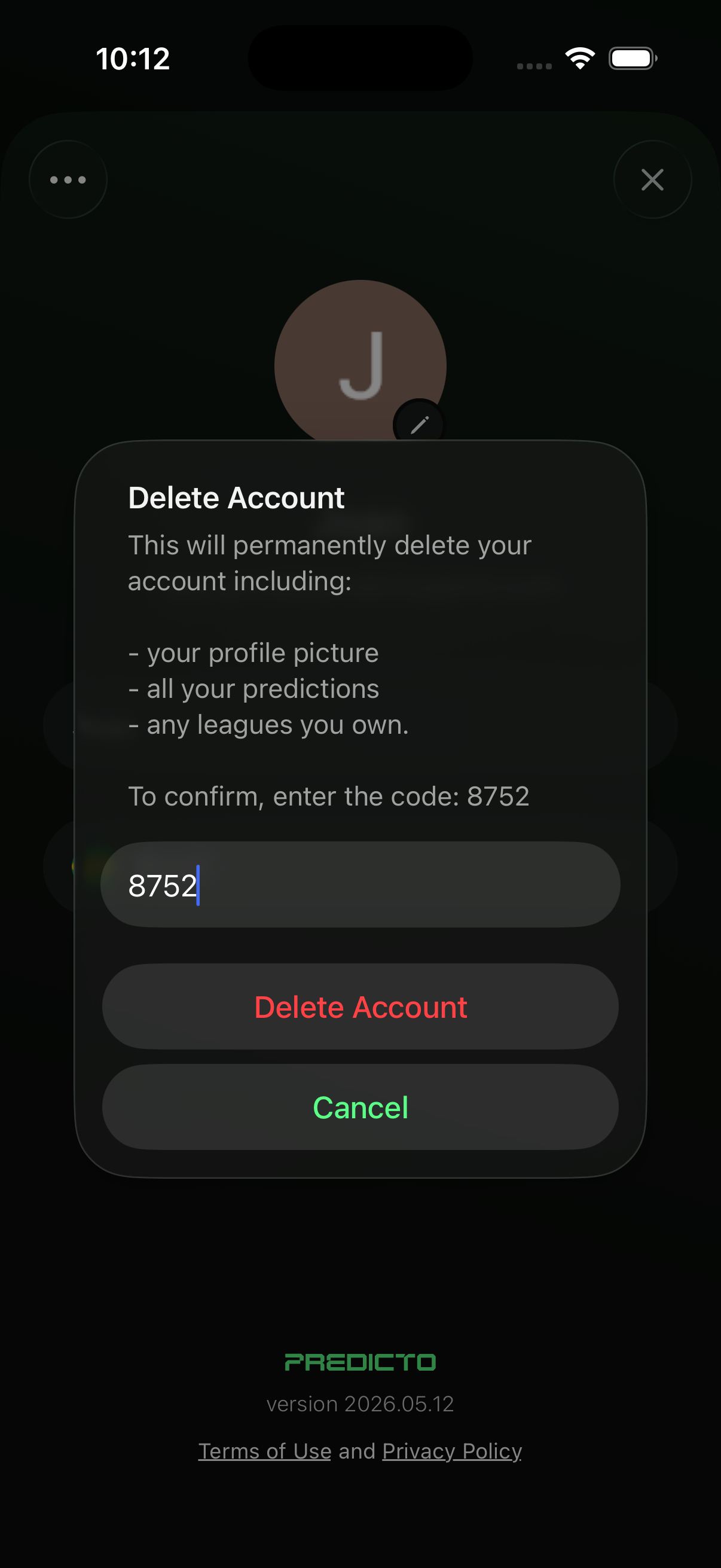
- A confirmation dialog will appear.
Android
iOS
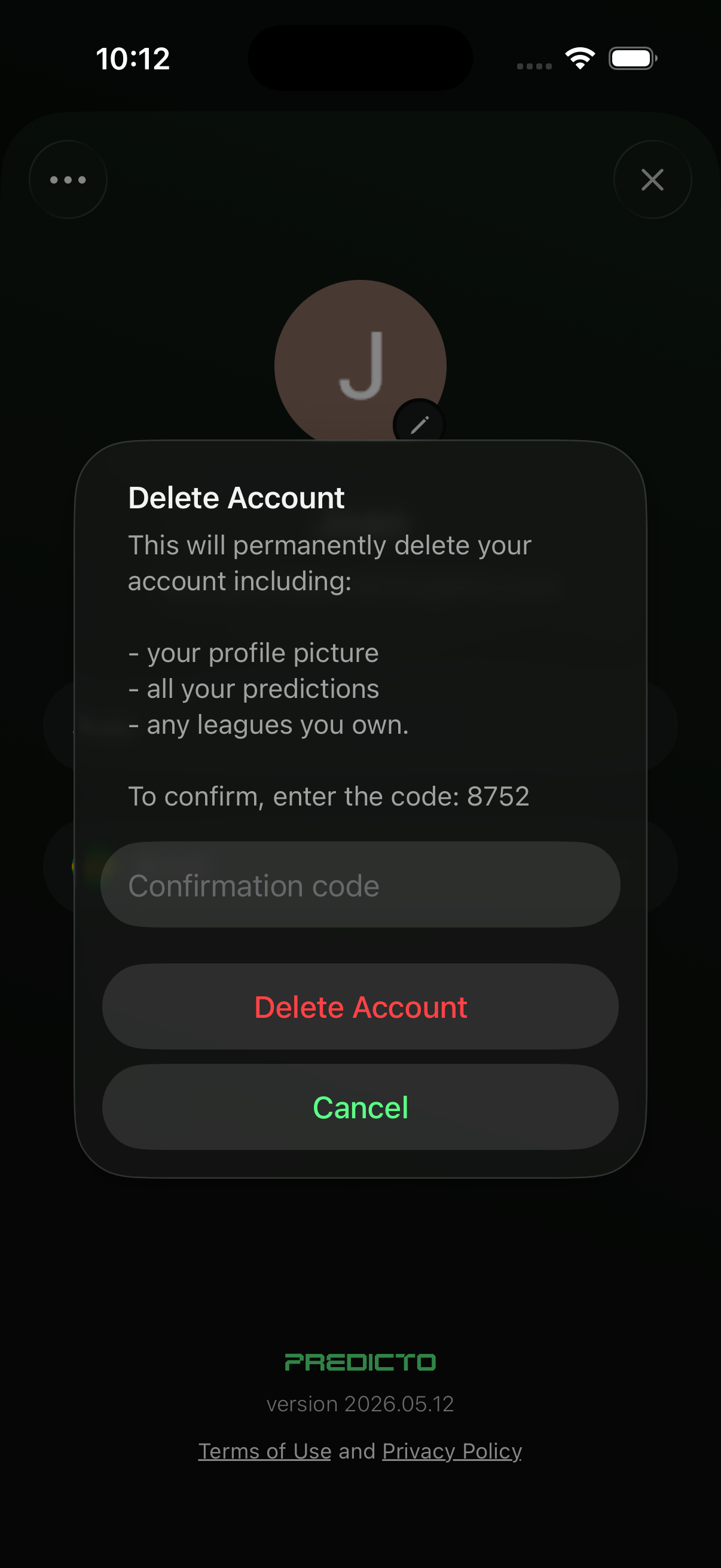
- Enter the confirmation code shown in the dialog.
Android
iOS
- Press Delete to permanently delete your account.